
.svg)
Internal Penetration Testing: Scope, Attack Paths & Process

.svg)
.svg)
Quick answer: Internal penetration testing simulates an attacker, or a malicious insider, who is already inside your network. Testers start from a workstation, a standard user account or a network port and try to escalate privileges, move between systems and reach sensitive data. It shows how far a single compromised device or password could take an attacker.
Most security spending goes into keeping attackers out. Yet phishing, stolen credentials and compromised vendors mean that someone is eventually going to get in. The more useful question is what happens next: can an attacker who controls one laptop reach your servers, your domain controller and your customer data?
That is the question internal penetration testing answers. This guide explains what it tests, the attack paths testers look for, how the process works and how to prepare. For the full range of assessments Privaxi offers, see our penetration testing services.
What Is Internal Penetration Testing?
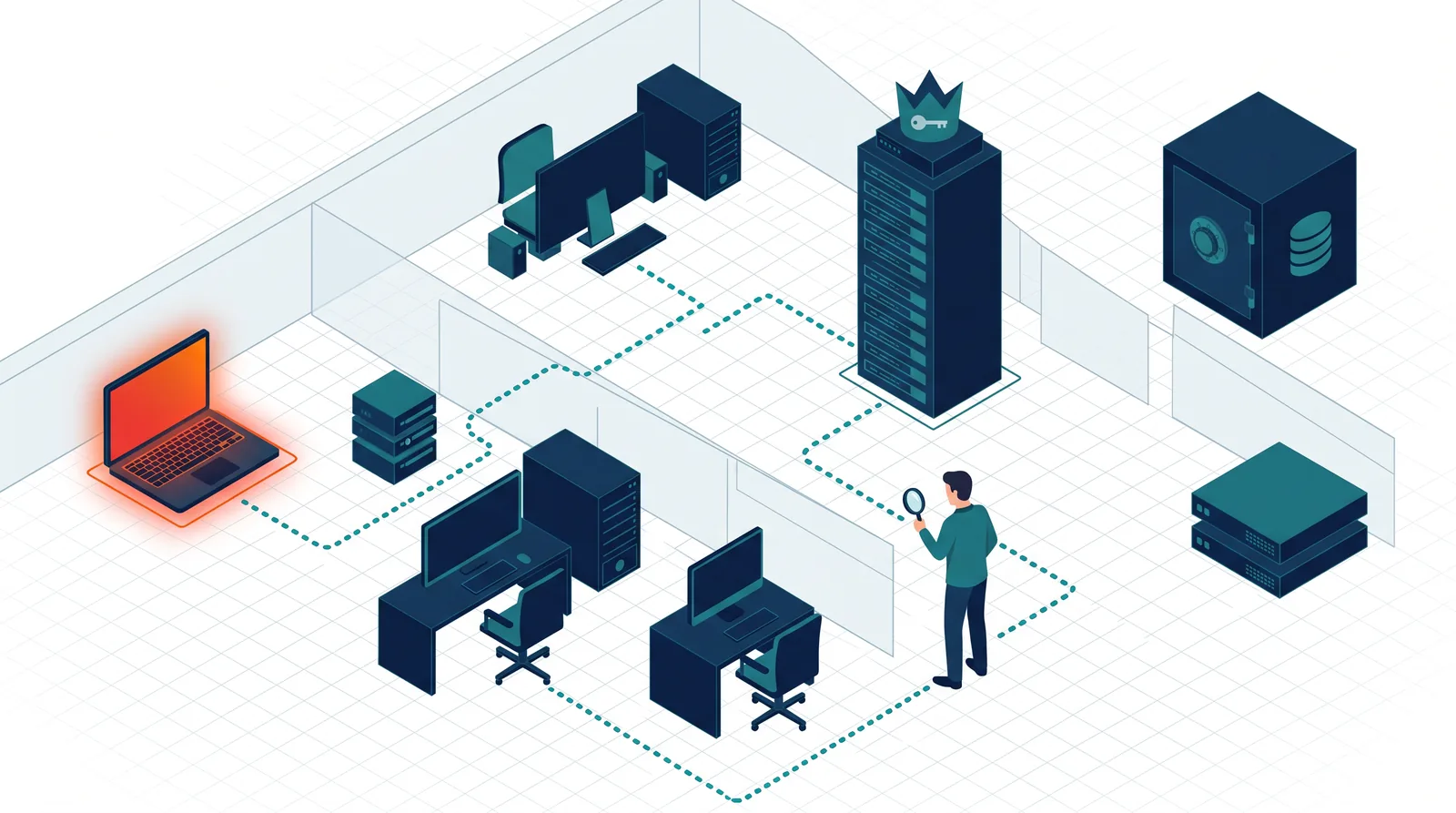
Internal penetration testing is an authorized simulated attack carried out from inside your network perimeter. Instead of probing public systems, testers begin with the access an attacker would have after a successful phishing email, a stolen VPN credential, an infected device or a rogue connection. They then try to expand that access.
The goal is not to prove that a foothold is possible, since you should assume it is. The goal is to measure the blast radius: how much damage one compromised account or machine can cause, and whether your detection would notice.
Why Internal Testing Matters
- Perimeter defenses fail. Phishing and credential theft bypass firewalls entirely.
- Internal networks are often flat. Once inside, many organizations have few barriers between workstations, servers and backups.
- Identity is the new perimeter. One over-privileged account can unlock everything.
- Ransomware spreads internally. Attackers rely on the same weaknesses a tester will find.
- Insiders and contractors have legitimate access that external tests never examine.
Starting Positions: What Internal Tests Simulate
Many organizations choose an assumed-breach approach because it spends the test budget on lateral movement and privilege escalation rather than on getting the first foothold.
Common Attack Paths Found Inside Networks
Testers look at how a typical corporate environment is built, especially Windows and Active Directory, and how small weaknesses combine:
- Weak or reused passwords. Password spraying and credential reuse across systems remain highly effective.
- Legacy name resolution and relay weaknesses. Older broadcast protocols and unsigned network traffic can let attackers capture or relay credentials.
- Over-privileged accounts. Service accounts, local administrator rights and unnecessary domain admin membership turn small footholds into total control.
- Misconfigured directory permissions and certificate services. Delegation and template mistakes can allow privilege escalation.
- Unpatched internal systems. Servers that were never exposed to the internet are often patched far later.
- Secrets in shares and scripts. Passwords, keys and connection strings saved in file shares or repositories.
- Flat networks. Little or no segmentation between user networks, servers, backups and management interfaces.
- Weak monitoring. Attacks proceed for days because nothing alerts.
Active Directory security deserves special attention because it is where identities, permissions and trust relationships concentrate. A tester who obtains domain-level control has effectively compromised the business.
Internal Penetration Testing Methodology
- Scoping and rules of engagement. Agree on network ranges, systems, timing, safe-testing limits and emergency contacts.
- Network discovery. Identify hosts, services and trust relationships from the starting position.
- Enumeration. Gather users, groups, shares, systems and policy details.
- Credential attacks. Test password strength and credential exposure under agreed safeguards.
- Exploitation and privilege escalation. Safely use weaknesses to gain higher access.
- Lateral movement. Move between systems to reach defined crown-jewel targets.
- Data access validation. Demonstrate access to sensitive data without extracting it unnecessarily.
- Detection review. Compare activity with what your monitoring noticed.
- Reporting and retest. Deliver prioritized findings and verify fixes.
For a wider view of the frameworks behind this process, see our guide to penetration testing methodology.
Internal vs External Penetration Testing
External testing asks whether an outsider can get in. The internal test asks what an insider or an intruder can do once there. They are complementary, and many compliance programs expect both. Our guide to external penetration testing covers the outside view.
What Is in Scope for an Internal Test?
- Corporate and server network ranges, including data center and cloud-connected networks.
- Active Directory and identity infrastructure.
- File servers, databases, backup systems and management consoles.
- Workstations and laptops, using a representative sample.
- Network devices, printers, VoIP and other connected equipment.
- Segmentation between networks, such as user, server, guest and payment zones.
- Wireless networks, if included in the engagement.
Define what must be protected most, such as payment data, health records or intellectual property, and make reaching those assets the test objective. See penetration testing scope for how to define boundaries.
Internal Penetration Testing for Compliance
Several frameworks call for or rely on internal testing. PCI DSS requires internal penetration tests at least annually and after significant change, as covered in PCI DSS 11.4 penetration testing. SOC 2, ISO 27001, HIPAA and CMMC assessors also look for evidence that internal controls and segmentation work. See SOC 2 penetration testing requirements and ISO 27001 Annex A 8.8.
Is Internal Testing Safe?
It can be run safely when it is planned. Reputable testers use non-destructive techniques, avoid denial-of-service testing and coordinate activities that could affect production, such as password attempts that might lock accounts. Share emergency contacts, define blackout windows and make sure your IT team knows the test is happening, or decide deliberately whether your security team should be told or not told to test detection.
How to Prepare for Internal Penetration Testing
- Document network ranges and critical assets so testers focus on what matters.
- Decide on the starting position, such as a standard user account, a managed laptop or a network port.
- Provide test accounts at different privilege levels if you want authenticated coverage.
- Confirm remote or on-site access, including VPN, jump hosts and device requirements.
- Set communication rules for critical findings that should be reported immediately.
- Make a backup plan for key systems before testing begins.
- Schedule remediation and retesting before the report arrives.
Costs depend mainly on network size, number of sites and depth of testing. See how much penetration testing costs for the main drivers.
Typical Internal Findings and Fixes
Example Attack Narrative: From One Phished User to Domain Control
A simplified illustration shows why internal testing matters. An employee opens a phishing email and their laptop is compromised. The attacker finds that the same local administrator password is used on many workstations and moves to one that a systems administrator uses. From there, cached credentials give access to a service account that is a member of a powerful group. That account can reach a file server holding scripts with embedded passwords, which lead to an account with domain-wide rights. Within hours, the attacker controls the directory and can reach backups.
None of these steps required a sophisticated exploit. Each was a configuration or hygiene weakness, and each could have been stopped by a single control: unique local admin passwords, tiered administration, secrets management or alerting on unusual account use.
Questions to Ask Your Provider Before an Internal Test
- Which starting positions do you recommend for our environment, and why?
- How do you handle account lockout risk and production safety?
- How much of the test is manual versus automated?
- Will you test Active Directory configuration and certificate services, not just hosts?
- How will you demonstrate impact without extracting sensitive data?
- Will you review whether our monitoring detected the activity?
- Is a retest included once we fix the findings?
Measuring Improvement Between Tests
Treat each engagement as a benchmark. Track how long it takes testers to reach domain-level access, how many attack paths they find, whether the same weaknesses repeat and how quickly your team detects activity. A test that previously took hours and now takes days, or that your team now catches, is evidence of real progress that leadership can understand.
Frequently Asked Questions
What is internal testing?
It is a simulated attack from inside your network that shows how far an attacker or malicious insider could get after an initial compromise, including privilege escalation, lateral movement and access to sensitive data.
How is internal testing different from external testing?
External testing targets internet-facing systems from outside. Internal testing begins inside the network and examines what an attacker can do after getting in. Both are usually needed.
How often should an internal pen test be performed?
At least once a year and after significant network or identity changes. Some compliance frameworks, such as PCI DSS, require this cadence explicitly.
Will an internal pen test disrupt my network?
Not when it is planned properly. Testers use non-destructive methods, agree on rules of engagement and coordinate risky actions such as password attempts.
What is assumed-breach testing?
Assumed-breach testing gives testers a starting foothold, such as a standard user account, so the engagement focuses on privilege escalation and lateral movement rather than gaining the first access.
Is internal testing required for compliance?
PCI DSS requires internal testing explicitly. Other frameworks such as SOC 2, ISO 27001, HIPAA and CMMC do not always name it, but assessors commonly expect evidence of it.
Final Thoughts
Assuming that an attacker will get in is the sound way to plan, and internal penetration testing tells you what that would cost. Focus on identity, segmentation and detection, fix what the test finds and retest to prove it.
To scope a test for your environment, explore Privaxi's penetration testing services and book a call.
Related Articles




Secure Your Business's Future
Contact us today for a personalized consultation and see how we can tailor a security solution that fits your business needs perfectly.
